
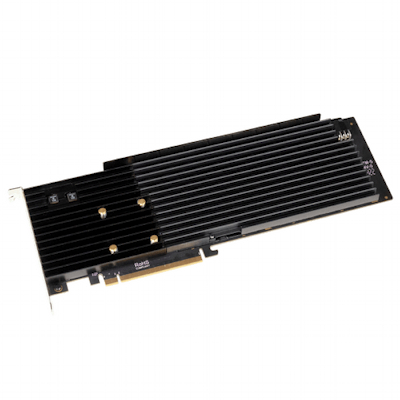
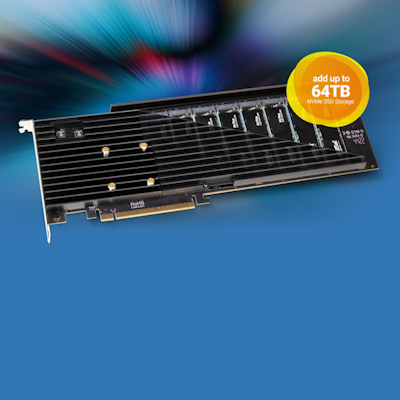
Sonnet SSD M.2 8×4 Silent PCIe 4.0 Card
RRP: $2465.00 including GST
Part Code: FUS-SSD-8X4-E4S
Prod Desc: Sonnet SSD M.2 8×4 Silent PCIe 4.0 Card
Stock On Hand: 0
Stock ETA: 12 Days
Warranty: 2 Years

Information
Add Your Own M.2 NVMe SSDs
Speed or capacity? Not too long ago, you had to make a choice between the two. The problem is, for many professional workflows, both are critical. Everyone knows M.2 NVMe PCIe SSDs offer great performance, but limited capacity. Hard drives offer great capacity, but very slow speeds by comparison. What if you could create increased SSD capacity? We make it possible — the Sonnet M.2 8×4 Silent Gen4 PCIe® Card enables you to mount up to eight NVMe SSDs into a single x16 PCIe card slot and combine their capabilities for ultra-performance. This card can transform your workflow.
Features
• Full-length, full-height computer card
Internal Connectors
• Eight M-keyed (NVMe) M.2 sockets
• 6-pin PCIe auxiliary power connector
SSDs Supported(1)
• Single-sided and double-sided M.2 2280 NVMe PCIe SSDs
• M.2 NVMe SSDs Compatiblity PDF
• Western Digital PCIe Gen4 SSDs NOT compatible
Boot Support (From a Single SSD)
• macOS
Mac Pro 5,1 or Mac Pro 7,1
Any Thunderbolt Mac
• Windows, Linux
Computers with UEFI BIOS
RAID Support
• macOS, Windows, Linus
RAID 0, 1, and 10
NVME Support
• Yes
SSD Power/Activity Indicators
• Yes
S.M.A.R.T. Status Data Reporting Support
• All SSDs
RoHS Compliant
• Yes
Package Contents
• Sonnet M.2 8×4 Silent Gen4 PCIe Card
• Thermal transfer pads
• 6-pin to 6-pin auxiliary power cable for Mac Pro
• Documentation
Mac Compatibility
• Mac Pro 8,1 (2023)
• Mac Pro 7,1 (2019) – Use x16 PCIe slot (slot 3, 4, or 5) for best performance
• Mac Pro 5,1 – Use x16 PCIe slot (slot 2) for best performance
• macOS 10.13.6+
• macOS Ventura compatible
Windows Compatibility
• Windows computer with available full-length, full-height x16 PCIe slot (PCIe 4.0 slot preferred; PCIe bifurcation not required)
• Windows 11 and 10
• Windows Server 2022, 2019
Linux Compatibility
• Linux computer with available full-length, full-height x16 PCIe slot (PCIe 4.0 slot preferred; PCIe bifurcation not required)
• Linux Kernel 5.0+
Thunderbolt Compatibility
• With card installed in a Thunderbolt expansion system with full-length x16 PCIe slot
• Any Mac, Windows, or Linux computer with Thunderbolt
Power Requirements
• When seven or eight SSDs are installed on the M.2 8×4 Silent Gen4 PCIe Card, connecting the included 6-pin PCIe auxiliary power cable between the computer’s and the card’s power connectors is required (optional when up to six SSDs installed).
M.2 NVMe SSDs Compatibility
• Western Digital PCIe Gen4 SSDs are NOT compatible